

Crypto Charting Tools
In short
Professional crypto traders in 2026 rely on a stack of specialized charting tools rather than a single platform to gain comprehensive market intelligence. Key platforms include TradingView for price analysis, CoinGlass for derivatives data, Glassnode for on-chain metrics, and Bookmap or TensorCharts for order flow analysis. These tools are selected to answer specific market questions, providing a layered view of price, liquidity, and market participant behavior.
The best charting tools for crypto trading in 2026 are no longer just places to draw trendlines. Professional crypto trading now depends on layered market intelligence: clean price charts, exchange data, order flow, liquidity maps, derivatives positioning, alerts, and on-chain context.
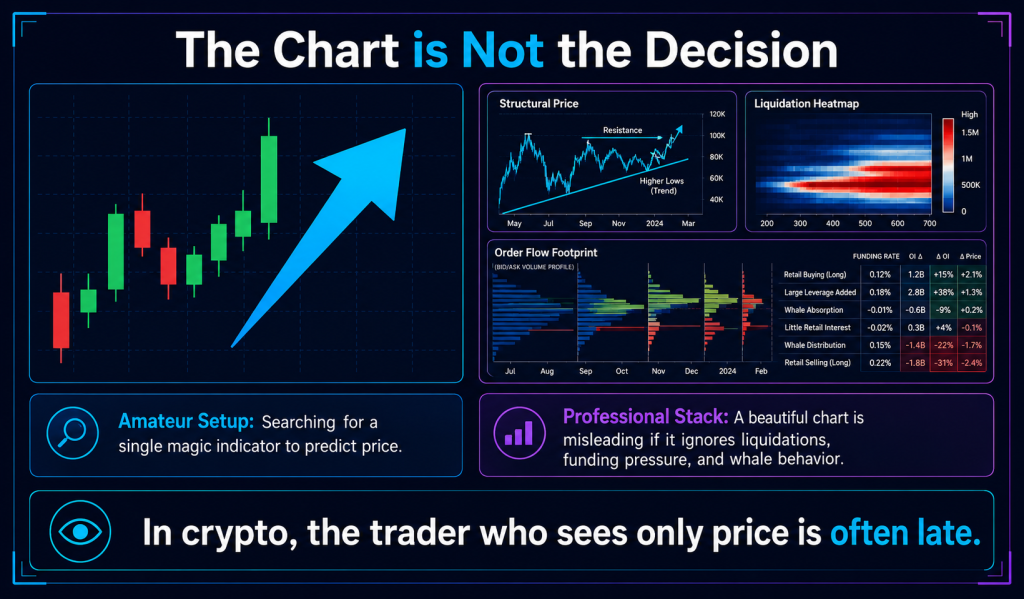
Amateur traders often look for a single magic indicator. Professionals build a stack.
That difference matters. In crypto, a beautiful chart can still be misleading if it ignores liquidation clusters, funding pressure, whale behavior, volatility shifts, or whether volume is confirming the move. The chart is not the decision. It is the surface layer of a deeper reading.
This guide compares the leading crypto charting platforms pros rely on in 2026, including TradingView, Coinigy, GoCharting, Bookmap, TensorCharts, CoinGlass, and Glassnode. It also explains how serious traders combine these tools into a structured workflow rather than chasing signals blindly.
What Are Crypto Charting Tools?
Crypto charting tools are platforms that help traders visualize market data through price charts, indicators, volume analysis, alerts, order books, liquidity maps, and sometimes on-chain metrics.
In simple terms, they help traders answer three questions:
- Where is price moving?
- Is the move supported by volume, liquidity, and market structure?
- Where is risk most likely hidden?
A retail trader may only need candlesticks, moving averages, RSI, and support/resistance. A professional trader usually needs more: multi-exchange data, derivatives positioning, volume profile, liquidation heatmaps, order flow, and probability-based alerts.
Why Professional Crypto Traders Use More Than One Charting Platform
The quiet truth about professional crypto trading is that no single charting platform sees everything.
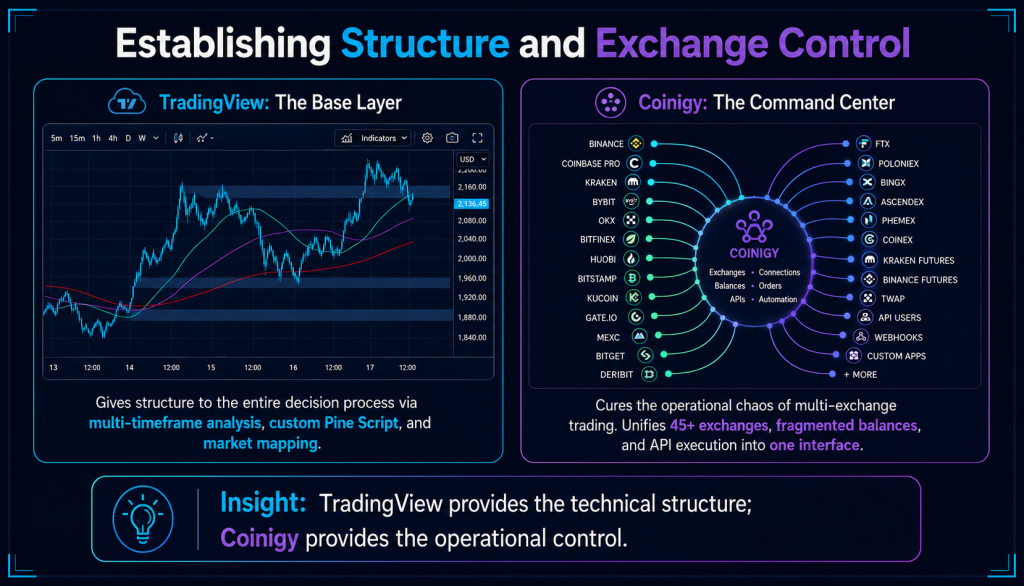
TradingView may show structure beautifully. CoinGlass may reveal derivatives pressure. Glassnode may show on-chain accumulation or distribution. Bookmap or TensorCharts may expose liquidity behavior beneath the candles. Coinigy may help traders manage multiple exchange accounts from one dashboard.
That is why pros rarely ask, “What is the best crypto charting tool?” They ask, “Which tool answers this specific market question?”
TradingView remains a broad charting standard because it combines charts, indicators, alerts, screeners, and multi-market analysis in one workflow. Coinigy positions itself as an all-in-one crypto portfolio and trading platform with access to 45+ exchanges, alerts, APIs, and mobile support. GoCharting focuses more heavily on order flow tools such as footprint charts, volume profile, market profile, and real-time multi-asset data.
The Best Crypto Charting Tools in 2026
1. TradingView: Best Overall Crypto Charting Platform
TradingView is the default charting environment for many crypto traders because it is fast, familiar, customizable, and widely supported across assets.
Its strength is workflow simplicity. A trader can move from BTC to altcoins, compare timeframes, add indicators, create alerts, test basic scripts, and monitor market structure without leaving the same interface.
TradingView is especially useful for:
- Multi-timeframe technical analysis
- Drawing support and resistance zones
- Using custom indicators and Pine Script
- Setting price and indicator alerts
- Comparing crypto with stocks, forex, commodities, and indexes
For most traders, TradingView is the base layer. It does not replace deeper tools like Glassnode, CoinGlass, or Bookmap, but it gives structure to the entire decision process.
Best for: general technical analysis, multi-timeframe charting, alerts, and clean market structure.
2. Coinigy: Best for Multi-Exchange Crypto Traders
Coinigy appeals to traders who manage accounts across several exchanges and want a unified trading dashboard.
Instead of constantly switching between exchange interfaces, traders can connect exchange accounts through API access, track balances, set alerts, and view market data from one place. Coinigy says it supports trading across 45+ popular exchanges and provides price, volume, and trade alerts through email, SMS, and mobile push.
This matters because multi-exchange traders face a specific problem: fragmented attention. A setup may appear on one exchange while liquidity, spreads, or portfolio exposure are scattered elsewhere.
Coinigy reduces that friction.
Best for: traders using multiple exchanges, portfolio visibility, alerts, and centralized exchange workflow.
3. GoCharting: Best for Order Flow and Footprint Charts
GoCharting is built for traders who want to move beyond standard candlesticks.
Its platform includes footprint charts, market profile, volume profile, DOM, options analytics, and order flow tools. GoCharting also describes itself as a professional order flow charting and trading platform with real-time data across crypto, stocks, futures, forex, and indexes.
This is where the professional mindset becomes visible. Instead of asking only whether price broke resistance, an order-flow trader asks:
Did buyers actually absorb sell pressure?
Was the breakout driven by aggressive market orders?
Did volume confirm the move?
Where did liquidity appear or disappear?
GoCharting is not necessarily the first tool a beginner should open. But for traders learning market profile, footprint analysis, and volume behavior, it can provide a deeper view of how price is being built.
Best for: order flow, footprint charts, volume profile, and advanced intraday analysis.
4. Bookmap: Best for Liquidity Heatmaps
Bookmap is popular with active traders who want to see market depth visually.
Instead of relying only on candles, Bookmap helps traders observe order flow, liquidity shifts, volume bubbles, and volume profiles in a heatmap-style interface.
This is useful because crypto often moves toward liquidity before reversing or accelerating. Candles show where price has been. A liquidity heatmap can help reveal where orders may be waiting.
Bookmap is particularly relevant for scalpers, futures traders, and anyone trying to understand short-term market microstructure.
Best for: liquidity heatmaps, order book visualization, scalping, and market microstructure.
5. TensorCharts: Best for Crypto Heatmaps and Execution Detail
TensorCharts is another specialized tool for traders who care about order flow and liquidity.
The platform describes itself as day trading software with orders/trades heatmaps, counters, support/resistance visualization, advanced order book tools, volume/speed alarms, and cryptocurrency support. Its documentation explains that trade heatmaps, also called footprint charts, show buying and selling activity inside each candle and aggregate trades across price levels.
TensorCharts is useful when a trader wants to understand not just that price moved, but how it moved.
Best for: crypto order flow, heatmap analysis, footprint-style execution detail, and active intraday trading.
6. CoinGlass: Best for Derivatives, Liquidations, and Market Positioning
CoinGlass is not a traditional charting platform in the same way TradingView is. It is a market data and analytics platform focused on derivatives, options, spot markets, order flow, open interest, funding rates, liquidity, and liquidation heatmaps.
For crypto traders, this is essential.
A BTC chart may look bullish, but if funding is overheated, open interest is crowded, and liquidation clusters sit below price, risk may be higher than the candlestick chart suggests.
CoinGlass is useful for understanding:
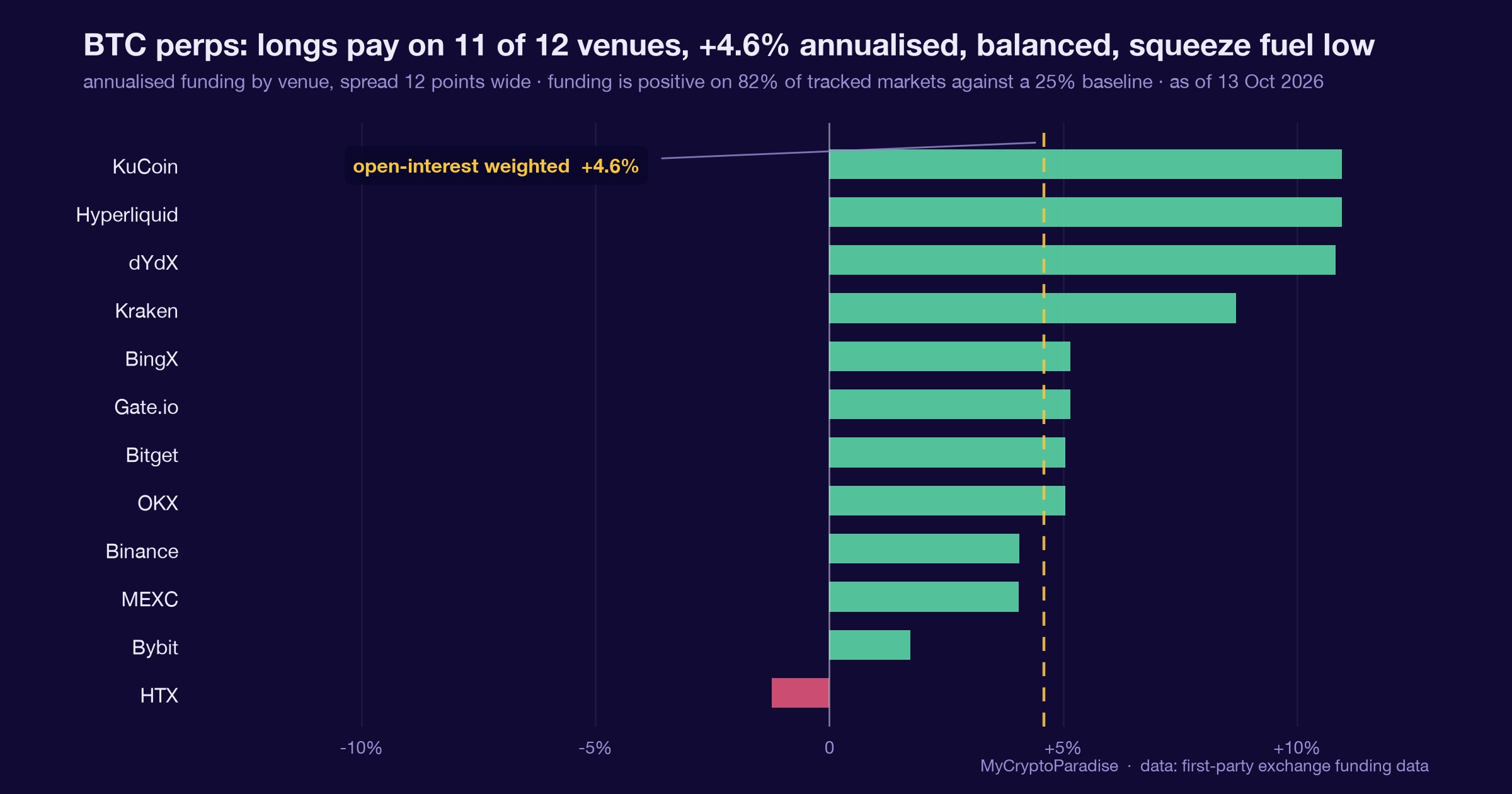
- Funding rates
- Open interest
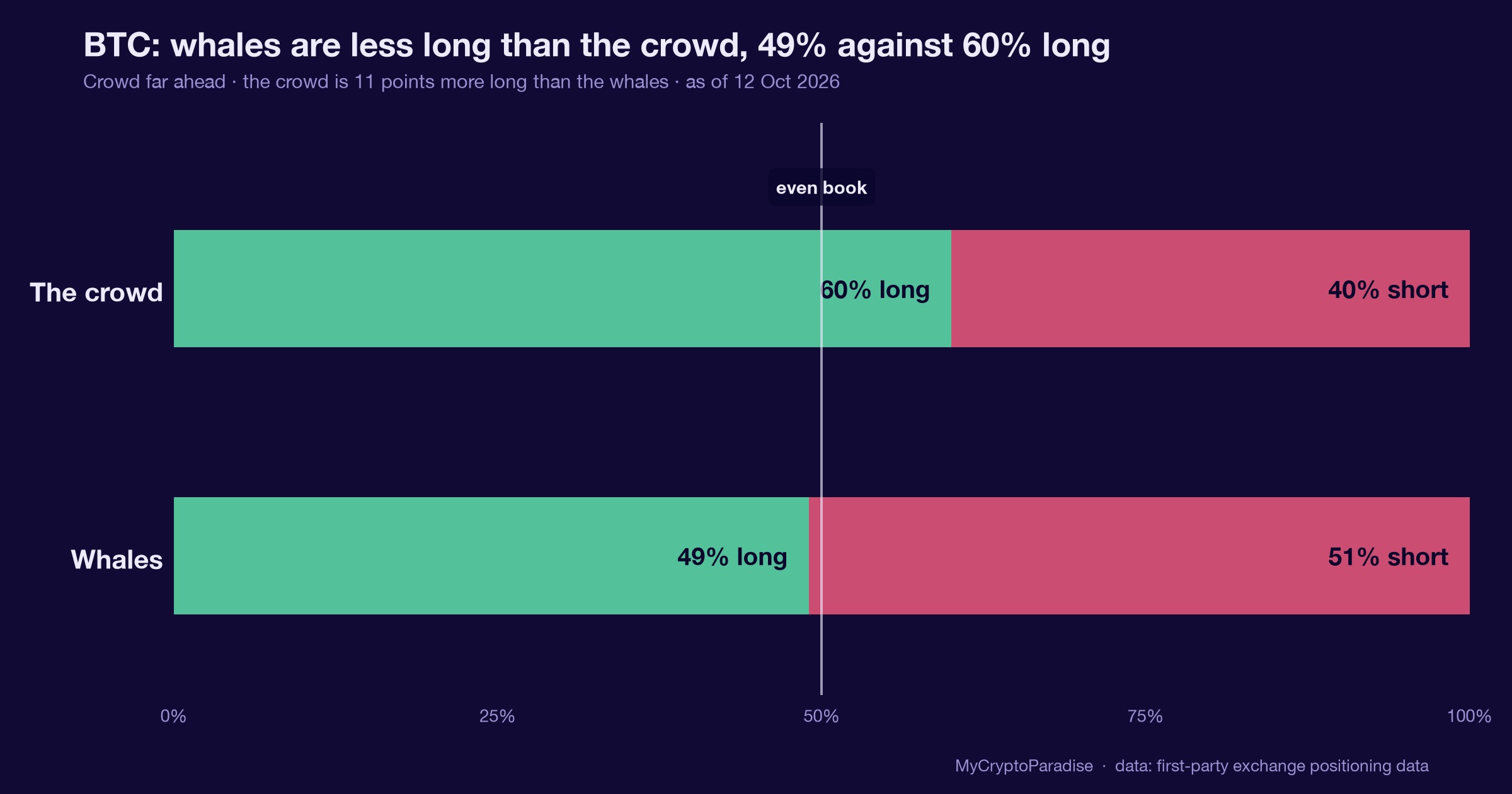
- Long/short ratios
- Liquidation heatmaps
- Options and derivatives positioning
- Exchange-level market pressure
CoinGlass states that its liquidation heatmap helps estimate price ranges where large-scale liquidation events may occur. That makes it especially valuable for futures traders who need to think in terms of liquidity and forced positioning.
Best for: derivatives data, liquidation heatmaps, funding rates, open interest, and futures market context.
7. Glassnode: Best for On-Chain Market Intelligence
Glassnode is built for traders and analysts who want to understand what is happening beneath exchange charts.
Its official positioning is clear: Glassnode integrates digital asset market data, on-chain data, analytics, and research in one platform for finance professionals and institutions.
This makes Glassnode especially useful for higher-timeframe traders. While short-term charting tools show price action, on-chain analytics can show accumulation, distribution, exchange flows, realized profit/loss, supply dynamics, and investor behavior.
A trader looking at Bitcoin over several weeks or months may use Glassnode to understand whether a move has structural support or is simply a short-term technical reaction.
Best for: on-chain analysis, Bitcoin market cycles, exchange flows, supply behavior, and institutional-style research.
How to Choose the Best Crypto Charting Tool
The best crypto charting tool depends on your trading style.
For Beginners
Start with TradingView. It gives enough charting depth without overwhelming the screen. Use it to learn trend structure, support and resistance, volume, moving averages, RSI, and alerts.
For Active Traders
Add CoinGlass. Once leverage, funding, and liquidation zones enter the picture, candles alone become incomplete.
For Scalpers
Use Bookmap, TensorCharts, or GoCharting. These tools help reveal order flow, liquidity shifts, and volume behavior inside the candle.
For Multi-Exchange Traders
Use Coinigy. It helps reduce the operational chaos of managing several exchange accounts.
For Swing Traders and Macro Analysts
Use Glassnode. It helps explain whether market behavior is supported by deeper on-chain evidence.
Checklist: What Professionals Look for in Crypto Charting Tools
Before relying on any crypto charting platform, serious traders usually check for:
- Reliable real-time data
- Multi-exchange support
- Clean charting interface
- Custom alerts
- Volume analysis
- Order flow or liquidity tools
- Derivatives data
- On-chain intelligence
- Mobile and desktop access
- Strong uptime and execution reliability
- Ability to support repeatable trading routines
The final point is often the most important. A tool is only professional if it improves decision quality under pressure.
Comparison: Best Crypto Charting Tools for 2026
| Platform | Best For | Key Strength | Best User Type |
| TradingView | General charting | Clean charts, alerts, indicators, Pine Script | Beginners to pros |
| Coinigy | Multi-exchange trading | Portfolio and exchange management | Active exchange traders |
| GoCharting | Order flow | Footprint charts, volume profile, market profile | Advanced traders |
| Bookmap | Liquidity heatmaps | Visual order book and market depth | Scalpers and futures traders |
| TensorCharts | Crypto order flow | Heatmaps, counters, execution detail | Intraday crypto traders |
| CoinGlass | Derivatives analytics | Funding, open interest, liquidation heatmaps | Futures traders |
| Glassnode | On-chain intelligence | Market cycles, exchange flows, network data | Swing traders and analysts |
Final Takeaway: The Best Traders Do Not Worship Charts
The best crypto charting tools in 2026 are not about having more indicators. They are about reducing blindness.
TradingView gives structure. Coinigy gives exchange control. GoCharting, Bookmap, and TensorCharts reveal order flow. CoinGlass shows leverage and liquidation pressure. Glassnode adds on-chain context.
The professional edge is not one platform. It is the discipline to use the right platform for the right question.
In crypto, the trader who sees only price is often late. The trader who sees structure, liquidity, positioning, and probability has a quieter advantage.
A Smarter Layer for Traders Who Want Market Intelligence, Not Noise
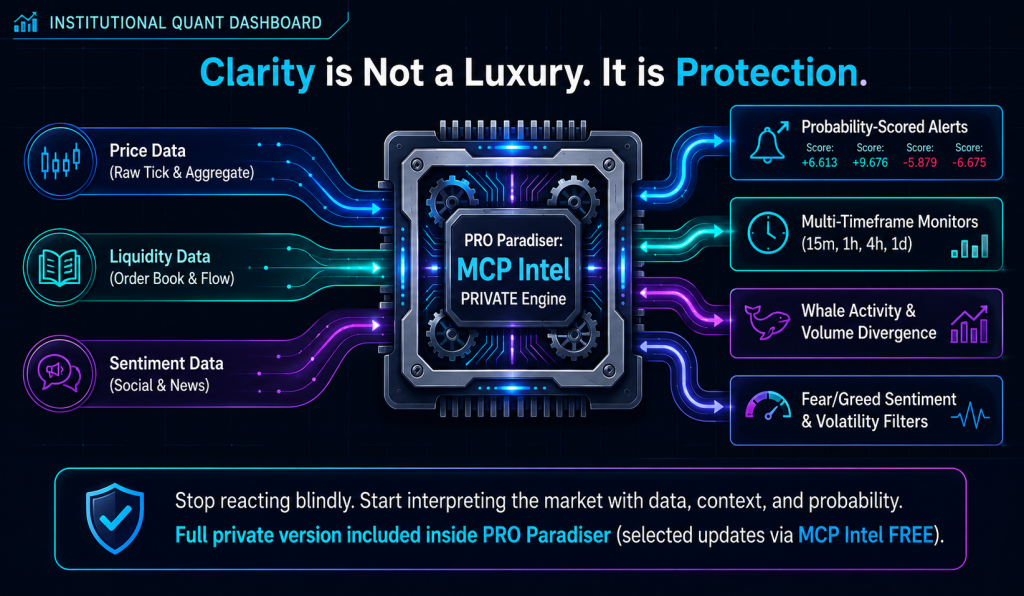
For traders who want a more structured way to read crypto markets, PRO Paradiser now includes MCP Intel PRIVATE, a market intelligence layer built to help traders stop reacting blindly and start interpreting the market with data, context, and probability.
MCP Intel PRIVATE brings together intelligence around fear and greed sentiment, whale activity, volume divergence, volatility alerts, support and resistance zones, multi-timeframe monitoring across 15-minute, 1-hour, 4-hour, and 1-day charts, plus probability-scored alerts.
This matters because professional crypto trading is rarely about one signal. It is about reading several layers at once, then filtering what matters from what only feels urgent. MCP Intel PRIVATE is designed to support that process inside PRO Paradiser, using the same type of intelligence layer the trading team considers when shaping market decisions and preparing setups for advanced members.
For traders who want to experience the intelligence layer first, selected updates are available through MCP Intel FREE. The full private version is included inside PRO Paradiser.
In markets this fast, clarity is not a luxury. It is protection.
Crypto Charting Tools FAQ
What is the best overall crypto charting platform?
TradingView is widely treated as the base layer for most traders because it combines fast charts, indicators, alerts, screeners, and Pine Script in one workflow. It does not replace deeper tools like CoinGlass or Glassnode, but it gives structure to the decision process.
Why do professional traders use more than one charting tool?
No single platform sees everything. TradingView shows structure, CoinGlass shows derivatives pressure, Glassnode shows on-chain flows, and Bookmap or TensorCharts expose liquidity beneath the candles. Pros combine these to answer different market questions rather than relying on one screen.
Which charting tool is best for order flow and liquidity?
Bookmap is known for liquidity heatmaps and order book visualization, while GoCharting and TensorCharts focus on footprint charts, volume profile, and trade-level detail. These tools help traders see how a move was built, not just that price moved.
What tool helps with derivatives and liquidation data?
CoinGlass is a market data platform focused on funding rates, open interest, long/short ratios, and liquidation heatmaps. It helps futures traders gauge crowded positioning and risk that a plain candlestick chart may not reveal.
Crypto trading involves substantial risk of loss. This article is educational and is not financial advice. Past performance does not guarantee future results. Always do your own research.
What is different here
Most guides stop at the theory. The MyCryptoParadise team shares the live trades, and the reasoning behind each one, inside ParadiseFamilyVIP. Everything here is education, not financial advice.
Crypto trading involves substantial risk and is not suitable for everyone. Nothing here is financial advice; it is education only. Never risk more than you can afford to lose.





Join the discussion
No comments yet. Members, share how you are reading this.